Basketball whiteboard · Full court · Half court
Basketball whiteboard, online and free
Place offense and defense, draw cuts and passes, and download the play as an image to send it to the team. No sign-up and nothing to install.
Pick a piece and tap the court to place it; drag it to move it. To draw a cut or a pass, pick the arrow and drag from one point to another.
This is the basic board. In Hooptime the whiteboard lives inside every drill and is saved in the team, next to attendance and games. The app also has a drill library for youth basketball, each drill with its own whiteboard.
See the appIn three steps
Choose the court
Full court or half court. What you drew adapts when you switch.
Place and draw
Offensive and defensive players with their numbers, a ball, cones and arrows for cuts and passes.
Download the image
A PNG file ready to send in a message or add to a practice plan.
What a basketball whiteboard is for
A whiteboard lets a coach explain a play or a drill before running it on the court: where each player starts, where they move and who gets the pass. A clear picture saves long explanations and works as a reminder for the next practice or game.
Common uses
- Planning a drill: place the groups and mark the path of every player and of the ball.
- Explaining an offensive set: the cuts, the screens and the passes between players.
- Reviewing the defense: where each defender stands against their man.
- Preparing a timeout: draw the play beforehand and show it on the phone.
- Sending the idea to the team: the downloaded image is shared through any messaging app, with nothing to install.
How each thing is drawn
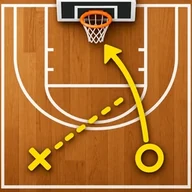
The solid arrow shows a player’s movement and the dashed arrow, a pass. After choosing an arrow in the toolbar, drag from the starting point to the end point; the ends can then be moved with the yellow circles. With a piece selected, the delete button removes it, and the player’s number is changed in the jersey field.
Common questions
Is it free?
Yes. The whiteboard is free and asks for no sign-up or email address.
Is what I draw saved?
No. The page saves nothing: if you close it, the board is lost. To keep it, download the image. In the Hooptime app every board stays saved in the team’s drill.
Does it work on a phone?
Yes. Pieces are placed with a tap and moved by dragging. On small screens it helps to turn the phone sideways to see the court larger.
Which courts are there?
Full court and half court, with the key, the three-point line and the center circle.
Can I use the image in my practices?
Yes. The downloaded image is yours to use in practice plans, messages or team documents. It carries a small whiteboard mark in the corner.
How is it different from the whiteboard in the app?
The web one is for sketching a single play. The Hooptime one is saved in each drill and linked to the team, attendance and games.
Want to keep the board?
This board saves nothing: when you close the page, it is gone. In Hooptime every drill has its whiteboard saved in the team, and nearly 350 built-in drills are there to start with.